
Learn the 2 Best Way to Open and Close a Laptop Safely and Efficiently
To avoid laptop hinge damage, proper handling during opening and closing is essential. Here are practical tips to ensure long hinge life:
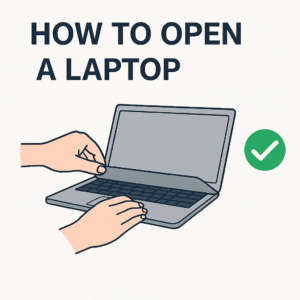
✅ How to Open the Laptop Properly
1. Use both hands (ideally):
* Place one hand on the base to stabilize it.
* Use the other hand to lift the lid gently from the center, not the corners.
2. If using one hand:
* Always lift from the middle of the lid to distribute pressure evenly.
* Avoid lifting from a single corner, which puts twisting pressure on hinges.
3. Open slowly and smoothly:
* Sudden or jerky movements can strain the hinge mechanism.
* Never force it past its maximum angle (usually 135°–180°).
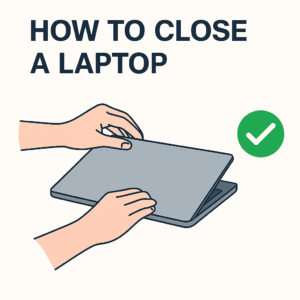
✅ How to Close the Laptop Properly
1. Close gently and evenly:
* Press down from the center of the lid.
* Don’t slam the lid shut.
2. Avoid one-handed closing from corners:
* This can twist the lid and put stress on the hinges.
3. Clear obstructions:
* Ensure nothing (like pens or USBs) is between the keyboard and screen before closing.
⚠️ Additional Tips to Prevent Hinge Damage
* Don’t pick up or carry the notebook by the lid.
* Avoid placing heavy items on top of the closed notebook.
* Keep the hinge area clean and dust-free.
* Don’t open the notebook further than its designed angle.
* Regularly inspect hinge tightness — if you hear cracking, feel resistance, or see misalignment, get it checked early.